
The science is ready. The budget is close. The deadline is 48 hours away, and the proposal is still moving between the PI, departmental admin, compliance office, and collaborators who are all editing different files. At that point, the problem is rarely just writing. It is coordinating a research grant application so the narrative, forms, attachments, approvals, and submission path all hold together.
That is why "proposal writing software" is a messy category for research teams. A tool built for sales proposals may help with templates and document polish, but grant development usually breaks down somewhere else: aligning the project to the call, managing contributor input, keeping versions straight, handling institutional routing, and getting through sponsor submission requirements without preventable errors.
For research grants, the right question is not which platform writes fastest. It is which platform helps with the task that is slowing your team down right now. Some tools are strongest at AI-assisted drafting and revision. Some are built for institutional proposal development and compliance. Others are effectively submission systems, with proposal support attached. If you are comparing options, it helps to start with a practical split between AI tools for proposal drafting and research workflows and systems designed for routing, approvals, or sponsor submission.
I have seen teams lose days forcing one product to cover the whole workflow. In practice, grant offices, PIs, and early-career researchers often need different software for different jobs. The list below reflects that reality by grouping tools around their primary function, so you can choose for the bottleneck you have, not the marketing category on the homepage.
Table of Contents
- 1. PROPOSIA
- 2. Grantable
- 3. Grants.gov Workspace
- 4. Cayuse Proposals (S2S)
- 5. Kuali Research – Proposal Development
- 6. Huron Research Suite – Grants
- 7. InfoEd Global – Proposal Development (Grants & Contracts Suite)
- 8. Overleaf
- 9. PandaDoc
- 10. Proposal Kit Professional
- Top 10 Proposal Writing Software Comparison
- The Right Tool for the Right Task
1. PROPOSIA
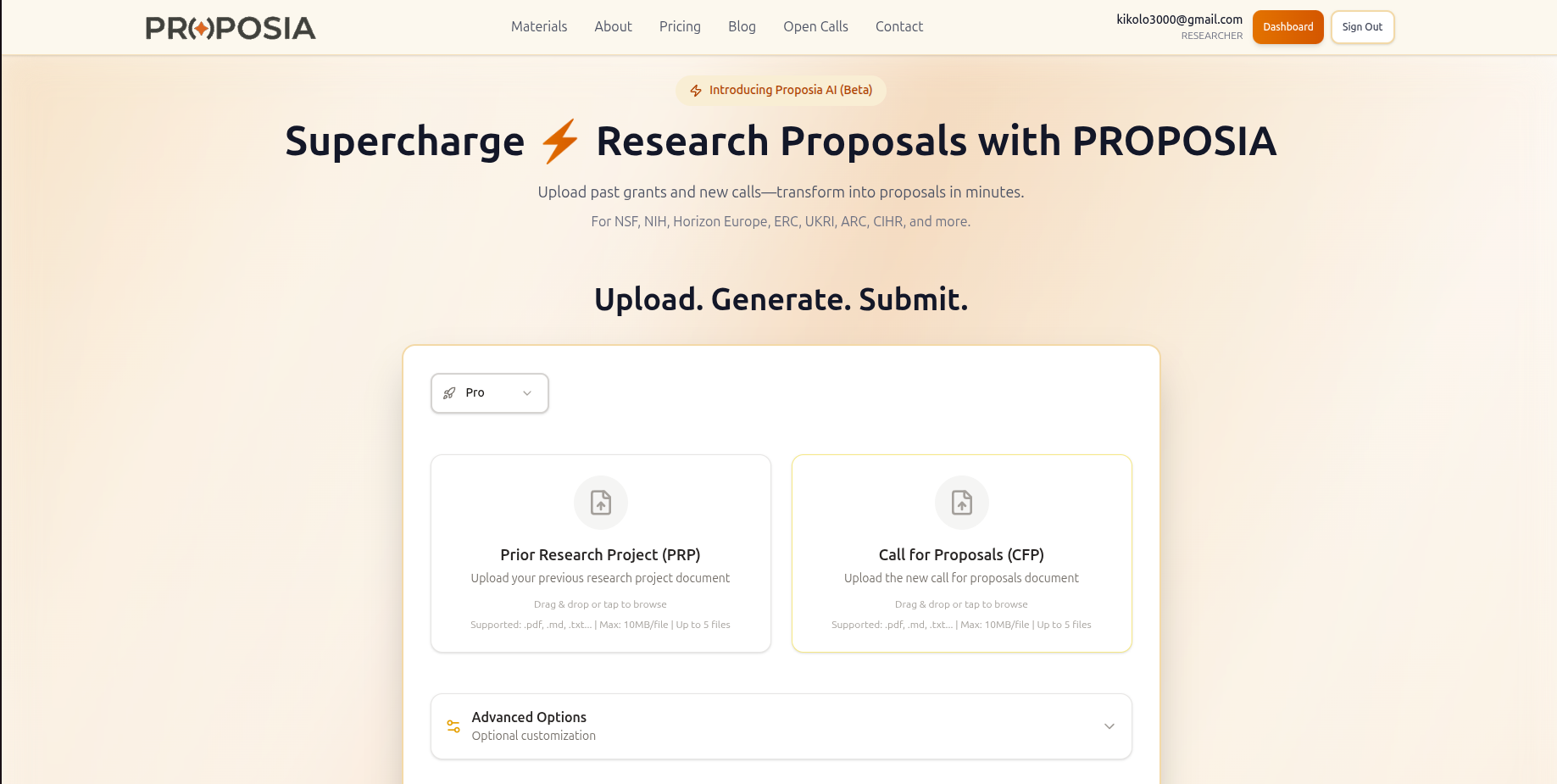
A familiar grant-writing scenario. The call is open, the science is strong, and the team already has pilot data, prior aims, methods text, biosketch material, and institutional boilerplate scattered across old files. The critical bottleneck is turning that pile into a funder-specific narrative without losing weeks to rework. PROPOSIA is built for that part of the job.
PROPOSIA is one of the few tools in this list that treats research grant development as its own workflow. It starts with the funding opportunity and your existing research materials, then moves through analysis, concept development, drafting, and critique. For PIs and research development staff, that is a practical distinction. Grant proposals are usually assembled from prior intellectual assets and reframed for a specific sponsor, not written as net-new sales documents.
Why it stands out for grant writing
The platform supports major public funders including Horizon Europe, ERC, NSF, NIH, UKRI, ARC, and CIHR. It accepts PDF, Markdown, and TXT files, supports multiple uploads, and is optimized for desktop use, which fits the reality of proposal work better than mobile-first design.
Its sequence also matches how experienced teams draft:
- Smart Analysis: Reviews the solicitation and source documents before drafting begins.
- Idea Storm: Surfaces possible angles and themes while options are still open.
- Idea Refinement: Pushes those ideas toward a sharper, funder-aligned concept.
- AI Writing: Drafts sections from the refined structure and source material.
- Red-team Review: Adds a critique step that many writing tools skip, even though weak logic and poor alignment usually cause more trouble than sentence-level polish.
If you want to see that workflow in more detail, PROPOSIA publishes AI tools for grant writing that map closely to common proposal development tasks.
Practical rule: A useful grant-writing tool should help with interpretation and critique, not just produce paragraphs quickly.
PROPOSIA also offers a free preview and shares discipline-specific examples such as ADAPT, REBOUND, and AEROCAPT. The ability to preview outputs is important because grant teams need to judge whether a tool can preserve technical nuance, methodological detail, and sponsor fit before they put real proposal material into it.
Best fit and trade-offs
PROPOSIA fits teams that already have content and need structure around reuse, drafting, and review. That includes individual PIs preparing a first major application, grant managers coordinating multi-author submissions, and research development offices supporting interdisciplinary bids. It is especially helpful when the main problem is getting from scattered source material to a coherent first draft that can survive internal review.
The trade-offs are straightforward.
- Best strengths: Grant-specific workflow, coverage across major research funders, built-in critique logic, privacy emphasis, and previewable outputs.
- Main limitations: It remains in staged beta rollout, so access may not be immediate. Pricing is not publicly itemized, which means labs and institutions may need a direct conversation before they can compare cost against other tools.
Used well, PROPOSIA covers the narrative-development side of the grant process. It does not replace institutional routing, sponsor system-to-system submission, or full pre-award administration. That makes it a strong option for teams choosing software by primary function, especially if their immediate need is better drafting and review rather than institutional compliance.
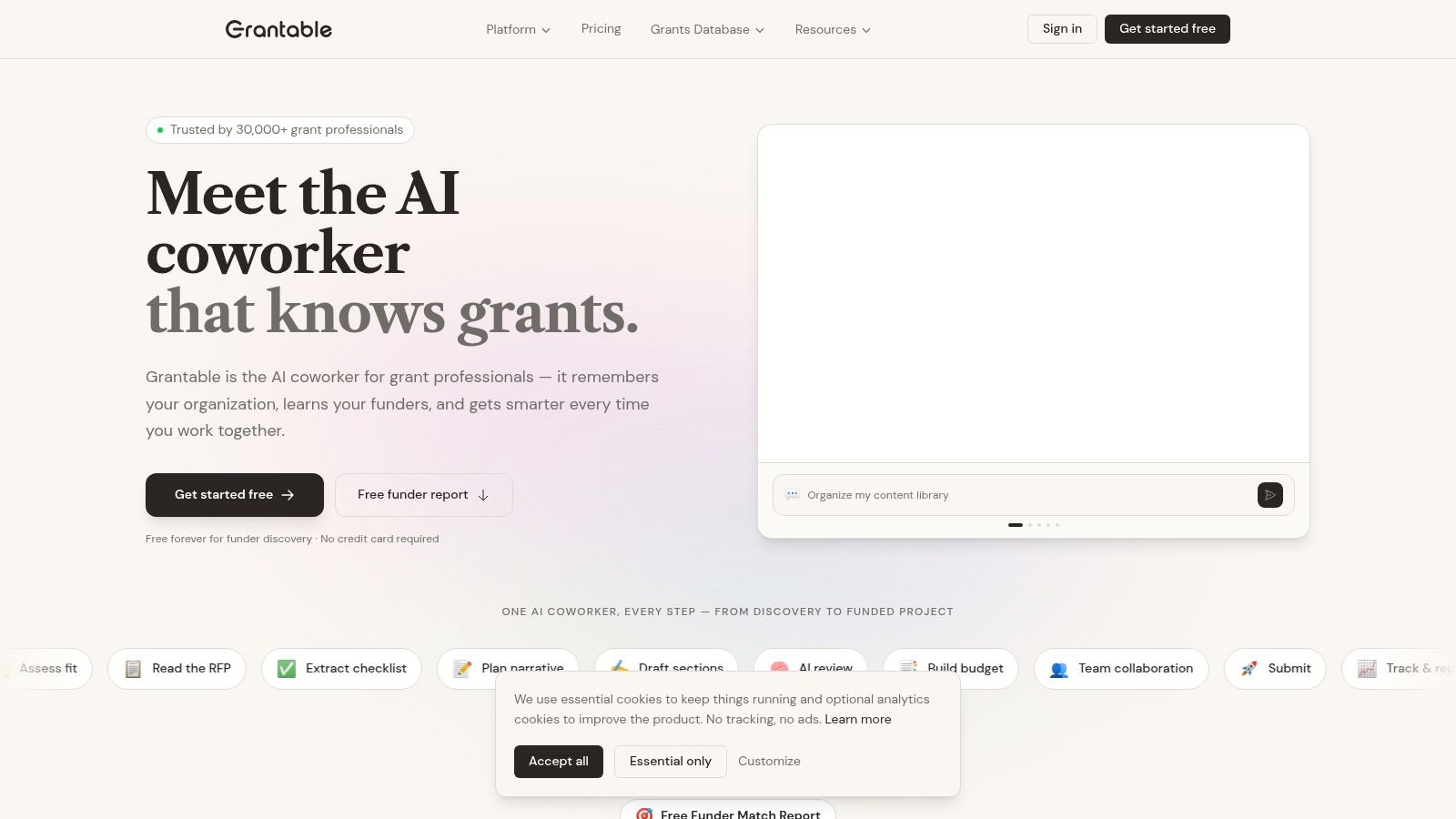
2. Grantable
A common grant bottleneck shows up before anyone writes the aims page. A PI spots a promising call, three people interpret the guidelines differently, deadlines live in separate calendars, and the first draft starts before the team has agreed on sponsor fit or required attachments. Grantable is built for that stage.
Grantable focuses on pre-award coordination for teams that need more than a blank document but less than a full institutional research administration system. It brings opportunity review, RFP analysis, drafting support, collaboration, and deadline management into one workspace. For research grant proposals, that makes it a different category of tool than submission platforms like Grants.gov Workspace or enterprise compliance systems like Cayuse and Kuali.
Where it helps most
Grantable is strongest for proposal setup challenges, not final submission. Its AI assistant works from uploaded source material, and the platform can pull requirements into checklists, store reusable language, and keep collaborators working from the same interpretation of the call. Higher-tier plans add funder discovery and fit scoring.
Wasting effort on low-fit opportunities is a major hidden cost in grant work.
That is why Grantable can be useful for early-career investigators, small nonprofit research teams, community-engaged projects, and labs without dedicated research development staff. If your process regularly stalls between "we should apply" and "here is a usable draft outline with responsibilities assigned," this tool addresses that gap directly.
- Useful features: AI drafting help, file import, RFP checklist extraction, content library, collaboration tools, deadline tracking, and funder discovery on higher plans.
- Good fit: Smaller research teams, foundation-focused applicants, nonprofit grant shops, and labs that need structure around opportunity assessment and narrative development.
- Limit to remember: It does not handle formal sponsor submission. Federal and many institutional applications still need to move through the required agency or university system.
The trade-off is straightforward. Grantable helps teams organize and draft earlier in the process, but it is not the system of record for institutional routing, compliance approvals, or system-to-system submission. Used well, it reduces confusion upstream, where a surprising amount of grant effort is usually lost.
3. Grants.gov Workspace
Grants.gov Workspace is not the tool that makes writing elegant. It's the tool that gets many U.S. federal applications assembled and submitted properly. If your team applies to NIH, NSF, or other agencies that route through Grants.gov, Workspace is often required.
That's why I wouldn't evaluate it by the same standard as AI drafting software. Its job is form preparation, role management, validation, and handoff to the Authorized Organization Representative. On those terms, it matters a lot.
What it does well
Workspace gives teams a shared application area with role-based access, activity tracking, validation checks, and support for preparing forms before submission. It also supports offline PDF form editing with upload back into the system, which some institutions still rely on.
If your team is new to federal applications, the workflow can feel bureaucratic because it is bureaucratic. But that bureaucracy is the actual submission path, so learning it is part of the job.
Federal grant submission tools rarely help you think better. They help you fail less often at the final stage.
The practical upside is error prevention. A lot of grant disasters happen in the last mile: wrong forms, incomplete packages, routing confusion, or failed authorization. Workspace reduces that risk better than a polished writing environment ever will.
- Best reason to use it: It's free and aligned directly to federal submission requirements.
- Common frustration: It doesn't help with narrative development. Someone still has to write the science elsewhere.
- Who needs it: Any team submitting through the U.S. federal system, especially those without a separate S2S institutional layer.
If you only buy narrative software and ignore submission tooling, you'll still hit the same wall at the end.
4. Cayuse Proposals (S2S)
Cayuse Proposals (S2S) is what many universities adopt once they're tired of scattered spreadsheets, email-based approvals, and duplicated administrative entry across departments. It's built for institutional proposal development and submission, not for solo drafting.
That distinction is important. Cayuse is strongest when the problem is workflow control across PI, department, college, and sponsored programs office. If the problem is “I need help writing Specific Aims,” this isn't the product solving it.
Where Cayuse earns its keep
Its value comes from system-to-system submission support, institutional routing, approvals, audit trails, and reuse of administrative data across the proposal lifecycle. That means fewer repeated entries for the same personnel, units, and compliance details, plus a clearer chain of responsibility before submission.
For large institutions, that's not a convenience feature. It's operational infrastructure.
Operational benchmarks from a 2026 industry compilation report an average RFP response time of 25 hours, with SMB teams averaging about 20 hours and enterprise teams taking 30+ hours because of additional stakeholders and compliance checks, according to this RFP statistics summary. That dynamic maps directly onto university grant administration. More stakeholders mean more friction. Tools like Cayuse exist to compress that coordination time.
- Strongest use case: Universities with centralized pre-award operations and repeat federal submissions.
- Why research offices like it: Routing, validation, reuse of institutional data, and a formal audit trail.
- Main downside: It's enterprise software. Individual labs won't buy this on a whim, and pricing typically requires a sales conversation.
Cayuse is often most effective when nobody in the lab loves it, but everybody relies on it.
5. Kuali Research – Proposal Development

Kuali Research takes a broader electronic research administration approach, and its Proposal Development module reflects that. This is less about elegant writing support and more about structured proposal assembly inside a university process.
If your institution already thinks in terms of configurable approvals, centralized reporting, and cross-campus standardization, Kuali makes sense. If your team just wants a better drafting interface, it will feel heavy.
Why institutions choose it
Kuali's Proposal Development workbench supports structured data capture, institutional workflows, sponsor form handling, and reporting across the proposal pipeline. That makes it useful where central offices want visibility into status, bottlenecks, and approvals without chasing departments manually.
The primary benefit is standardization. Different schools and departments often invent their own proposal practices. Kuali gives administrators a way to pull those into a shared process.
Most mainstream discussion of proposal writing software still centers on operational features such as automation, templating, permissions, collaboration, and content libraries, rather than grant-specific rigor, as discussed in Adobe's overview of proposal software. That's why Kuali works better as an institutional control layer than as a narrative coaching tool.
- Best for: Universities that want proposal development tied tightly to institutional workflows.
- Useful strength: Training often exists internally once the system is deployed, which reduces onboarding pain.
- Likely drawback: It's heavier than most individual PIs need and usually procured at the enterprise level.
For research administration, that heaviness can be a feature. For a small lab, it's usually too much.
6. Huron Research Suite – Grants

Huron Research Suite is the kind of platform institutions consider when they want grants, IRB, COI, and other research administration processes to live in a common environment. Its grants functionality is part of a suite mindset. That matters because many compliance problems don't stay politely inside the proposal office.
The grants module supports workflow automation, reminders, milestone tracking, configurable business rules, and visibility into proposal and award status. For research hospitals and large universities, those capabilities matter because handoffs between offices are where delay accumulates.
Best use case
Huron fits institutions that need process control more than writing assistance. It helps standardize pre-award behavior across departments, especially where the institution has complex review chains or wants better oversight from proposal creation into award transition.
Decision test: If your biggest grant problem is routing, approvals, reminders, and accountability, choose administrative software. If your biggest problem is weak first drafts, choose authoring software.
Recent proposal software coverage has emphasized real-time analytics, tracked workflows, and AI-assisted content retrieval, but there's still limited guidance on how those ideas translate cleanly into research proposals with confidentiality and multi-institution coordination needs, as noted in this proposal management discussion from Upland Software. Huron's strength is that it doesn't pretend those governance constraints are secondary.
- Good fit: Research-intensive institutions, hospitals, and multi-office environments.
- Clear advantage: Better process consistency and auditability across departments.
- Main limitation: It's enterprise software, and likely far more than a single lab needs.
7. InfoEd Global – Proposal Development (Grants & Contracts Suite)
InfoEd Global's Grants & Contracts Suite has been in the eRA conversation for a long time, and that longevity shows in how it approaches proposal development. This is institutional software built for grant offices and research administration teams that need proposal development, tracking, routing, reporting, and S2S support in one environment.
The platform is often most attractive to universities and medical centers that want both S2S and non-S2S proposals handled within the same broader grants framework. That mixed environment is common in research administration, where not every application follows the same sponsor path.
What to expect
InfoEd's Proposal Development and Proposal Tracking modules support configurable workflows, reporting, and integration with sponsor submission channels. The value isn't glamorous. It's consistency, institutional memory, and administrative traceability.
For research offices, that's often the point. When multiple units touch a proposal, the office needs to know who changed what, what is pending, and where the application stands.
One market report projects the proposal management software market at USD 3.22B in 2026, rising to USD 4.66B by 2030 at a 9.7% CAGR, while another projects USD 3.26B in 2025 rising to USD 9.19B by 2034 at a 12.2% CAGR, according to this market report listing from Research and Markets. The exact forecast varies by methodology, but the practical signal is steady expansion in systems that manage end-to-end proposal workflows. InfoEd belongs squarely in that category.
- Choose it for: Institutional pre-award infrastructure and proposal tracking.
- Expect: A procurement process, configuration work, and an admin-oriented interface.
- Don't expect: A lightweight drafting tool for individual investigators.
8. Overleaf
Overleaf isn't grant software in the administrative sense, but it remains one of the most practical tools for technical proposal writing. If your proposal includes equations, tight formatting, references, figures, or a team that already works in LaTeX, Overleaf can save a lot of pain.
For multi-author scientific writing, it also solves a very real problem: version chaos. Emailing Word files around a methods-heavy proposal with multiple authors is still common, and it's still a bad idea.
Where Overleaf shines
Overleaf gives you real-time collaboration, comments, versioning, and ready-to-use templates, including funder-relevant formats such as NSF-oriented templates. It also supports integrations with Git, Dropbox, and reference tools on certain plans, plus an AI Assist option for language and LaTeX support.
The main reason to use it for grants is output quality. If your proposal needs precise typography and reproducible references, Overleaf is hard to beat.
A useful companion for formatting references correctly is this guide to citation styles, especially for early-career researchers moving between agencies and disciplines.
- Best for: Technical proposals, mathematically dense applications, and teams already comfortable in LaTeX.
- Big win: Cleaner collaboration and fewer version-control problems.
- Trade-off: It doesn't manage institutional approvals or sponsor submission workflows.
I'd choose Overleaf when the narrative is already conceptually strong and the challenge is producing a polished, technically rigorous document without formatting drift.
9. PandaDoc

PandaDoc earns its place on a research grant software list for a narrow reason. It handles the documents that sit around the grant, not the sponsor package itself.
That distinction matters. Research teams often need polished subaward documents, industry collaboration materials, letters that require signature routing, and center-level attachments that have to look consistent across partners. PandaDoc is useful there because it was built for document production, approvals, and signatures at scale.
I would not put a federal proposal narrative or agency forms in PandaDoc as the primary workspace. I would put partner-facing and administrator-heavy documents there, especially when the bottleneck is review and sign-off rather than scientific writing.
Where it fits in a grant workflow
PandaDoc combines a visual editor, reusable content blocks, approval chains, e-signature, web forms, and integrations with other business systems. That makes it a reasonable choice for tech transfer offices, research development teams supporting large centers, and translational groups that move between grants, contracts, and external partnership documents.
The trade-off is straightforward. Its strengths come from the commercial proposal market, so the product is better at packaging and routing documents than handling sponsor-specific compliance. You gain speed and consistency for outward-facing materials, but you still need a separate system for institutional approvals, budget development, and final submission.
That division of labor can work well. A grants office might draft the budget in an institutional system, check assumptions with a grant budget calculator for research proposals, build the scientific narrative elsewhere, and use PandaDoc only for the collaboration agreements and signature-dependent attachments that slow everything down.
- Useful for: Partner documents, support materials, collaboration paperwork, and approval workflows.
- Best fit: Centers, translational teams, and research units that regularly produce grant-adjacent business documents.
- Trade-off: Strong document workflow, weak sponsor-native grant submission support.
Use PandaDoc if your problem is document coordination around the proposal. Choose something else if the core problem is writing the science, assembling agency forms, or clearing institutional compliance.
10. Proposal Kit Professional
Proposal Kit Professional is the old-school option in this list, and that's exactly why some teams will like it. It offers a large template and sample library, grant-oriented content, a Windows-based assembly wizard, and offline control over outputs to Word, PDF, and HTML.
That won't appeal to teams that want cloud-native collaboration. It will appeal to people who prefer local files, familiar Office workflows, and tighter control over where proposal materials live.
Who should consider it
Proposal Kit is a good fit for template-driven work, especially in environments with stricter data-handling preferences or teams that prefer not to use another cloud platform. It also makes sense for users who prefer a one-time purchase model over ongoing software subscriptions.
Its newer optional AI assistance and RFP analysis features broaden its usefulness, but the core value is still template depth and offline assembly.
If budget construction is part of your pain point, a separate grant budget calculator resource can help alongside template-based proposal drafting.
Some teams don't need smarter collaboration. They need fewer moving parts, local files, and a repeatable Word-based process that junior staff can learn quickly.
- Best for: Offline or locally controlled workflows and template-heavy proposal assembly.
- Advantage: Strong value for teams that want broad template coverage without enterprise complexity.
- Drawback: Collaboration is less fluid than in cloud-native editors, and the Wizard is Windows-focused.
Top 10 Proposal Writing Software Comparison
| Product | Core features | UX / Quality (★) | Price & Value (💰) | Target audience (👥) | Unique strengths (✨ / 🏆) |
|---|---|---|---|---|---|
| PROPOSIA 🏆 | Smart analysis → idea storm → AI drafting → red-team review; multi-file (PDF/MD/TXT) | ★★★★★ | 💰 Free preview; pricing via sales (beta) | 👥 Academic PIs, research teams for Horizon/NSF/NIH etc. | ✨ Funder-specific templates, desktop-optimized, strict data privacy; fast submission-ready output |
| Grantable | Inline AI editor, RFP checklist extraction, funder prospecting (Pro) | ★★★★ | 💰 Tiered plans; no per-seat fees; Pro for automations | 👥 Research teams & nonprofits seeking funder discovery | ✨ Combines drafting + funder discovery; reusable content library |
| Grants.gov Workspace | Team workspaces, SF-424 form prep, validation & AOR routing | ★★★ | 💰 Free to use | 👥 U.S. federal applicants, institutional admins | ✨ Direct federal submission alignment; strong validation to reduce errors |
| Cayuse Proposals (S2S) | S2S submissions, routing/approvals, audit trails, templates | ★★★★ | 💰 Enterprise pricing via sales | 👥 Large universities / research offices | ✨ Institutional-scale S2S, compliance workflows, wide campus adoption |
| Kuali Research – Proposal Dev. | Structured proposal workbench, configurable workflows, S2S integration | ★★★★ | 💰 Institutional licensing (contact sales) | 👥 University research admins & departments | ✨ Configurable approvals and org reporting for campus pipelines |
| Huron Research Suite – Grants | Automated workflows, milestone tracking, configurable rules | ★★★★ | 💰 Enterprise sales; suite pricing | 👥 Complex institutions, hospitals, large research orgs | ✨ End-to-end pre-/post-award suite; process standardization |
| InfoEd Global – Proposal Dev. | Proposal tracking, S2S interfaces, reporting, configurable forms | ★★★★ | 💰 Enterprise licensing via sales | 👥 Universities & medical centers | ✨ Deep eRA features with institutional deployments |
| Overleaf | Real-time LaTeX collaboration, funder templates, versioning | ★★★★ | 💰 Free tier; premium features available | 👥 Technical researchers needing rich formatting | ✨ Best for technical/math formatting and collaborative LaTeX |
| PandaDoc | Drag-and-drop editor, approvals, e-signature, analytics | ★★★ | 💰 Tiered (Business/Enterprise for advanced features) | 👥 Business offices, labs formatting partner letters/budgets | ✨ Rapid polished docs, strong integration & e-sign workflows |
| Proposal Kit Professional | Large template library, wizard assembly, offline Word/PDF output | ★★★ | 💰 One-time purchase (good for offline/templated work) | 👥 Teams preferring local Word/PDF workflows | ✨ Extensive template library; offline control and value purchase |
The Right Tool for the Right Task
A PI spends two weeks polishing aims with collaborators, only to hit a different wall in the final stretch. The budget justification is in the wrong format, the routing chain stalls, and the submission package fails validation. That is a software selection problem, not a writing problem.
Research grant proposals rarely fail for one reason. They break at different points in the workflow: early narrative development, multi-author drafting, institutional review, or sponsor submission. Lumping all of that under "proposal writing software" hides the key decision. For grant teams, the useful question is simpler. Which task is slowing the proposal down or increasing risk?
For many groups, the answer is not one product. It is a stack with clear roles. A grant-focused drafting tool such as PROPOSIA can help at the front end when a team needs to turn a solicitation, prior work, and rough ideas into a usable draft. Overleaf fits a different job. It gives technically oriented teams a stable environment for equations, citations, and versioned collaboration. Cayuse, Kuali, Huron, and InfoEd sit elsewhere in the process. They are administrative systems built for routing, approvals, records, and system-to-system submission.
That distinction matters because generic proposal software categories blur very different needs. A polished document editor will not catch institution-specific compliance steps. An institutional S2S platform will not improve weak scientific framing or fix a muddled significance section. AI drafting can speed up first-pass writing, but it does not replace sponsor interpretation, internal review, or PI judgment.
Start with the bottleneck that costs the team the most time or creates the most risk.
- Weak first drafts or slow narrative development: Use a grant-focused AI drafting tool.
- Heavy technical writing and formatting demands: Use a collaborative scientific writing environment.
- Routing, approvals, audit trail, and internal governance: Use an eRA or pre-award administration platform.
- Federal forms and final submission: Use the sponsor-required channel or the institution's connected submission system.
Teams often buy around the most visible pain point. The blank page gets attention because everyone feels it immediately. In practice, the larger cost often shows up later, when a nearly finished proposal gets delayed by approvals, attachment handling, version confusion, or failed submission checks.
There is also a governance issue. AI-assisted drafting can reduce effort, especially for repetitive sections and early structure, but high-stakes grant work still needs scientific ownership. Someone has to verify claims, align the narrative to the call, and challenge text that sounds plausible but says very little. Good software reduces mechanical work. It does not make the judgment calls for the PI, the research development lead, or the pre-award office.
My advice is straightforward: choose by function, not by label. For research grants, "proposal writing software" is too broad to be useful. Separate drafting from formatting, formatting from institutional process, and process from submission. Once you do that, the shortlist gets much shorter, and the tool choice gets easier to defend.